


Acrobat How-To: PDF Printing, Preflighting, and Prepress


Printing files at a service bureau used to be a tussle of proprietary formats, with QuarkXPress usually winning. Then more and more publishers began to produce PDF files for their final output. But Acrobat’s original mission as a compact vehicle for onscreen viewing didn’t exactly endear it to the printing and prepress communities.
With Acrobat 6 Professional, Adobe took a giant leap forward. The application now includes a plethora of professional printing tools, including file preflighting and ink overprinting, among other prepress niceties.
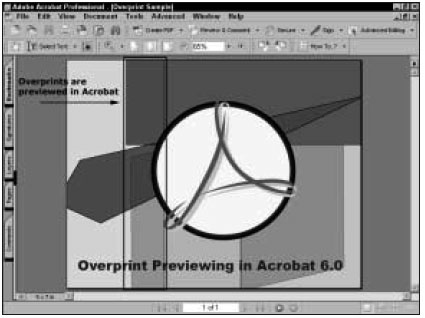
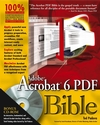
In this chapter from Ted Padova’s “Acrobat 6 PDF Bible” you’ll get an in-depth tour of the PDF printing and prepress capabilities of Acrobat 6.
We’ve posted this excerpt as a PDF file. All you do is click the link “Printing and Prepress” to open the PDF file in your Web browser. You can also download the PDF to your machine for later viewing.
To open the PDF, you’ll need a full version of Adobe Acrobat (4 or higher) or the Adobe Reader, which you can download here:
 .
.
To learn how to configure your browser for viewing PDF files, see the Adobe Reader tech support page.
Excerpted from “Adobe Acrobat 6 Bible” by Ted Padova. Copyright © 2003 Wiley Publishing. All rights reserved. Reproduced here by permission of the publisher.
This article was last modified on April 21, 2004
This article was first published on April 21, 2004
Commenting is easier and faster when you're logged in!

Recommended for you

Adjust Word Spacing in Paragraph Styles
MH wrote: We are doing a series of children's books and ample space in between w...
Communicating with Charts
Build your charts, graphs, and data visualizations with these helpful tips and p...

Interview with Cass Taylor, Presentation Expert and Brand Strategist
Q&A with Cass Taylor, who is presenting at the 2026 Presentation Design Conferen...