



Excerpted from “Adobe Acrobat 5 Master Class: Interactivity and Multimedia for PDF” (Peachpit Press).
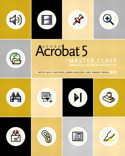
Peachpit Press is offering this book at a discount to creativepro.com readers. Follow this link.
We all know that Adobe Acrobat can be used to generate PDF files for print and on the Web, but you may not have tapped into its power as a tool for creating multimedia presentations. Adobe Acrobat makes it easy to add interactivity to documents that can then be used in a variety of ways and distributed across the Web, in email, and other media.
In this chapter from “Adobe Acrobat 5 Master Class: Interactivity and Multimedia for PDF” you’ll learn about how to make your files secure for distribution by adding levels of password protection and other security schemes.
Plus, we’ve added a bonus PDF: a cheat sheet of Acrobat shortcuts. Ready to download and keep by your keyboard.
We’ve posted these stories as PDF files, taken straight from the pages of this beautifully designed book. All you do is open the PDF files for “Restricting Viewing and Editing with Security” and “Acrobat 5 QuickGuide to Tools and Shortcuts” in your Web browser. You can also download the PDFs to your machine for later viewing.
To open the PDF, you’ll need Adobe Acrobat Reader. Get it here:
 .
.
To learn how to configure your browser for viewing PDF files, try these tips from Adobe:
- Click here for Explorer on the Mac
- Click here for Explorer on Windows
- Click here for Navigator on Windows
- Click here for Navigator on Mac.
This article was last modified on January 6, 2023
This article was first published on September 25, 2002
Commenting is easier and faster when you're logged in!

Recommended for you


Quark to Open Silicon Valley Office
Quark Inc. announced today that the company is expanding its operations with a n...

InDesign How-to Video: How to Create a Gravity Text Effect
In this week’s InDesignSecrets video, David Blatner reveals how to add a gravity...