


Better Type in Photoshop


For snappy solutions to common problems, The Photoshop CS2 Help Desk Book is a great resource. We’re bringing you the chapter that deals only with questions related to type. Bookmark this link, download the PDF and store it somewhere safe, or print it out and keep it on your shelf — just make sure the chapter’s handy!
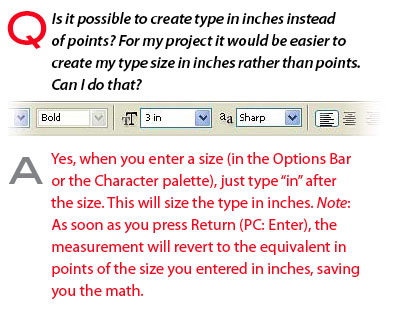
See? Helpful answers boiled down to their essence.
To read the chapter as a PDF file in your Web browser, click “Top Type.” You can also download the PDF to your machine for later viewing.
To open the PDF, you’ll need Adobe Acrobat or Adobe Reader. We highly recommend Adobe Reader 7.0 and above to view this PDF. To download Acrobat Reader, click below:
 .
.
To learn how to configure your browser for viewing PDF files, see the Adobe Reader tech support page.
Excerpted from The Photoshop CS2 Help Desk Book by Dave Cross. Copyright © 2005. Used with permission of Pearson Education, Inc., and Peachpit Press.
This article was last modified on January 4, 2023
This article was first published on January 22, 2007
Commenting is easier and faster when you're logged in!

Recommended for you
How to Create Kaleidoscopic Patterns in Photoshop
If you’ve been using Photoshop for a while, you’ve probably realised by now you...

CreativePro Tip of the Week: Locking Objects in Illustrator
This CreativePro Tip of the Week on locking objects in Illustrator was sent to C...
How to Digitize a Film Archive with Adobe Lightroom or Adobe Camera Raw
Digitizing an archive of film images can be a time-consuming process. Instead of...