




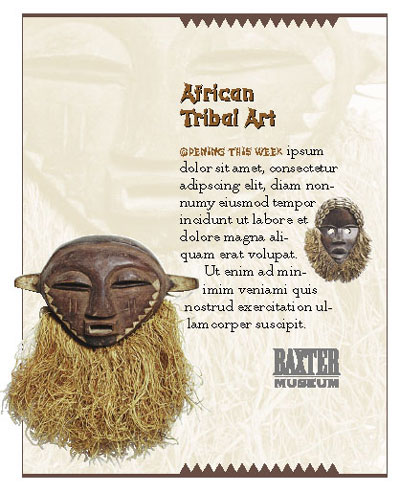
Here’s a beautiful technique that’s unusually easy to design: ghost and repeat a foreground image in the background. It’s unusually effective, too; the subtle repetition adds surprising depth and, with photos, a storytelling dimension. Placing the ghost higher on the page than the foreground image reinforces our perception that it’s in the back.
You can get excellent results by fading a full-color original, but the look we favor is to ghost a monochromatic copy. Save a copy in Photoshop as a grayscale image, then place into InDesign and fill with a faint color. Scale and send to the back.
Detail Fills a Page
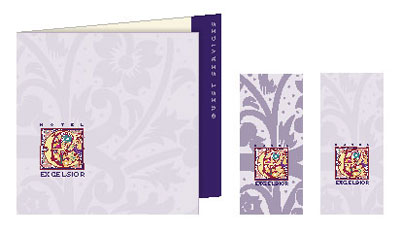
Here’s another example where a mere detail of the lavish initial has been cut and expanded to fill an entire cover. Be sure to ghost it sufficiently; full-strength usually makes a clash.
Pay Attention to the Center
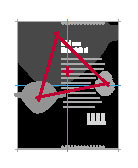
Your reader won’t be aware, but the three masks form a triangle at page center that balances the design and holds the focus where the reader’s eye naturally falls. Decorative saw teeth define the asymmetrical column and resemble the mask in both form and color, drawing image and page into one visual unit.
This article was last modified on June 20, 2023
This article was first published on December 12, 2003
Commenting is easier and faster when you're logged in!

Recommended for you

Special Offer on JixiPix Photoshop Plug-ins
Press release JixiPix Software has released the availability of a whole new powe...
What’s New with Lightroom Classic CC 8.0
The venerable Lightroom application got a bit roughed up last year. For several...

3D Printing from Photoshop
3D printing is the technology of the year, but few people realise you can create...