




To create the best masks, you need to make the most accurate selections. Photoshop CS4’s Color Range tools give you an easy way to create more subtle, refined, and targeted selections.
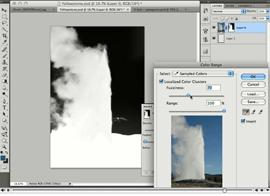
In this tutorial, you’ll use the new Masks panel to choose one or more localized color clusters (there’s a mouthful!); then adjust the sampled color range with a handy slider. While that may sound confusing, it’s easy to follow along with this video how-to.
Stream the 10.6MB QuickTime tutorial in a separate window by clicking the image below.
This article was last modified on January 5, 2023
This article was first published on May 7, 2009
Commenting is easier and faster when you're logged in!

Recommended for you
CreativePro Tip of the Week: Drawing Instant Abstract Art in Illustrator
This CreativePro Tip of the Week on creating instant abstract art in Illustrator...

Creating Rounded Text in Illustrator
Rounded text is great for adding a soft, human look to text, and is a good solut...

Creating a Pop Out Effect with Photoshop and InDesign
At the 2016 InDesign Conference in Washington, D.C., Nigel French reminded me of...