



John Nack, a senior product manager at Adobe, recently reported a slew of Photoshop goodies in his blog.
Configurator Revs to 2.0
Configurator is an Adobe technology that lets anyone make and share custom panels for Photoshop CS4/CS5 and InDesign CS5. Here are just some of the improvements in version 2.0:
* You can use HTML to drive Photoshop or InDesign (for example, HTML can run menu items, actions, and scripts, and can switch tools).
* Configurator now allows containers and popup windows with HTML and video.
* Layout controls are better.
For notes and tips, see the blog post “Configurator 2.0 is here!”
Photoshop CS5’s Knowledge Panel
If you’ve installed Photoshop CS5, check it out — it now has a new feature, the Knowledge Panel (Window > Extensions > Knowledge). Not only does the Configurator-created panel deliver “knowledge” in the form of step-by-step 70, but these how-tos are interactive: Click a command in one of the tutorials, and Photoshop will do whatever the command says.
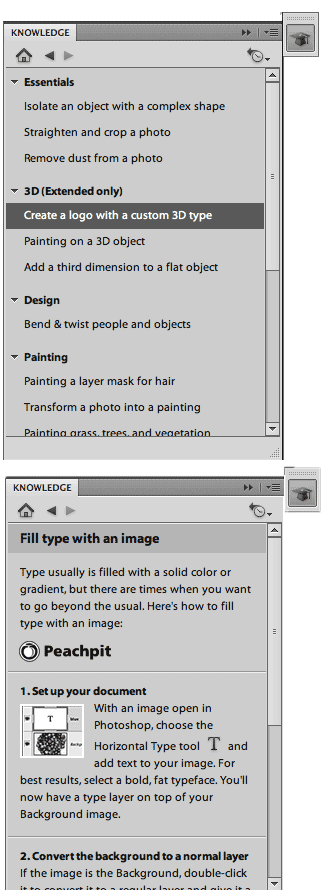
John gives interesting details on how the Knowledge panel came to be and where it’s headed in his blog post “The Knowledge panel arrives in Photoshop CS5.”
Photoshop CS5’s Painting Assistant Panel
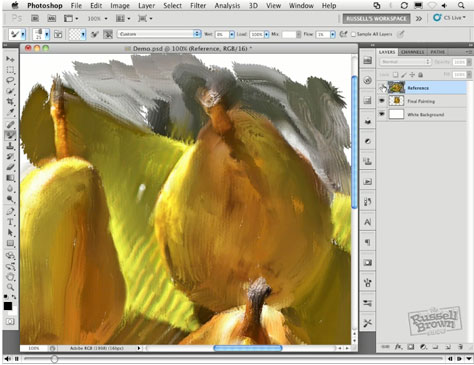
Force of nature (and long-time Adobe employee) Russell Brown has used Configurator to create a panel that walks you through the steps of converting a photo to a painting using the new painting features of Photoshop CS5. You can download the panel installer here.
Russell has also created a demo video. Click to open it in a separate window:
This article was last modified on December 14, 2022
This article was first published on June 1, 2010
Commenting is easier and faster when you're logged in!

Recommended for you

Creative Blöks: The Perfection Fairy
Each step you take on a creative path—whether you’re designing, drawing, or deve...

Photoshop for Beginners
Becoming a Photoshop expert is probably on a lot of folks’ bucket lists. W...
Creating Automatic Crop Marks and Bleed in Photoshop
One of the most abidingly popular features on CreativePro is Chad Chelius’...