


Graphics How-To: Three Digital Artists Share Their Secrets



Artists have unique visions — and often, unique techniques. While we may assume that software imposes a certain set of methods, it’s not the case that every artist uses the software in the same way. Even Photoshop gives you several ways to create a new layer, after all.
It’s instructive to see how individual artists create their compositions. Better yet is peering into the thought-processes behind them. What was the artistic goal? Why use that color palette? How was that effect achieved? The answers are as personal as the resulting artwork.

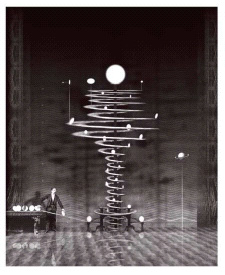

In this excerpt from “The Secrets of Award-Winning Digital Artists,” you’ll see the work of three artists who not only produce very different work but who also approach the creative process very differently. You’ll get a glimpse into their philosophy and technique, and pick up a few ideas for your own creative work.
We’ve posted these excerpts as PDF files. All you do is click the links “Archer“, “Orrery“, and “A Few of My Favorite Things” to open the PDF files in your Web browser. You can also download the PDF to your machine for later viewing.
To open the PDF, you’ll need a full version of Adobe Acrobat (5 or higher) or the Adobe Reader, which you can download here:
 .
.
To learn how to configure your browser for viewing PDF files, see the Adobe Reader tech support page.
Excerpted from “The Secrets of Award-Winning Digital Artists” by Jeremy Sutton and Daryl Wise. Copyright © 2002 Wiley Publishing. All rights reserved. Reproduced here by permission of the publisher.
This article was last modified on March 15, 2022
This article was first published on February 18, 2004
Commenting is easier and faster when you're logged in!

Recommended for you

Use the History Log to Make Photoshop Take Notes For You
Have you ever finished a complex sequence of steps in Photoshop, and later wishe...

Photoshop Tip: Pasting into a Selection in Photoshop
Learn how to create layers with layer masks with Photoshop's Paste Into command.

Aperture Bites the Dust
Apple recently stopped development of Aperture, the company’s professional...