




This tutorial is an installment of The Russell Brown Show.
Delve into the powerful realm of Adobe Camera Raw (which comes with Photoshop) and learn new techniques for enhancing images with the luminosity controls.
Click on “A Luminous Landscape” to begin streaming the 9MB QuickTime Tutorial.
If you don’t have QuickTime installed, you can get it here.
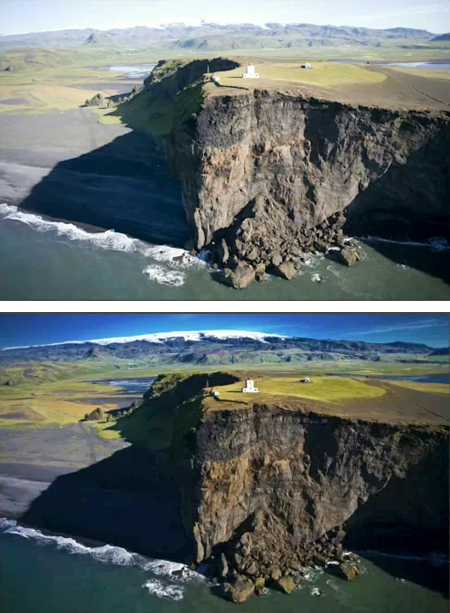
Before Camera Raw (top) and after (bottom).
This article was last modified on January 5, 2023
This article was first published on January 28, 2008
Commenting is easier and faster when you're logged in!

Recommended for you

Using InDesign, Illustrator, and Photoshop Together: Getting the Most From the Interface
When Adobe first created the concept of a “Creative Suite,” they wanted to make...

Creative Blöks: The Perfection Fairy
Each step you take on a creative path—whether you’re designing, drawing, or deve...

How to Extract Images with Hair Using Photoshop’s Refine Mask
The following is an excerpt from Speaking Photoshop CS6 by Dave Bate. You can al...