The international marketplace requires savvy publishers to create documents that span the globe, from Brazil to Denmark to the Ukraine to Japan. But until recently, producing multi-lingual files on the Macintosh meant buying separate copies of applications geared toward those regions. Moreover, limitations existed as to how many languages could be contained in one document and which localized applications could open files that included other languages.
No wonder multi-language publishers pulled their hair out.
InDesign eliminates many of these roadblocks. The combination of InDesign, Unicode, Mac OS X, and OpenType means that publishers can work with multiple languages in the same document and set type in both the horizontal of European alphabets and the vertical of East Asian characters.
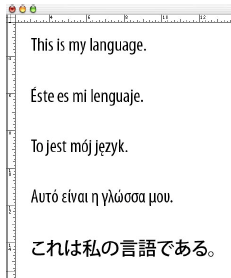
Here to provide you with a tour of InDesign’s linguistic gymnastics is Diane Burns, president of TechArt International, which has long been a leader in providing publishing services to East Asian markets. Diane — referred to by her Japanese clients in the late 1980s as “DTP no ha ha,” or “mother of desktop publishing” — knows firsthand the difficulties of working with multiple languages and recognizes that an applications’ ability to speak in many tongues is critical in the 21st century.
In this paper, presented at the 2003 InDesign Conference, Diane explains why InDesign is the right application for the global marketplace.
We’ve posted this feature as a PDF file. All you do is click the link “InDesign and World Languages” to open the PDF file in your Web browser. You can also download the PDF to your machine for later viewing.
To open the PDF, you’ll need a full version of Adobe Acrobat (5 or higher) or the Adobe Reader, which you can download here..
This article was last modified on March 10, 2025
This article was first published on February 24, 2004
Commenting is easier and faster when you're logged in!

Recommended for you

How to create guides shorter (or longer) than the page
Did you know you can create guides that are shorter than the width or height of...
Reveal Hidden Illustrator Swatches
Khara Plicanic shows you how to unlock Illustrator’s hidden treasure trove of bo...