


InDesign Tips: Replacing Gradient Swatches and Improving EPS Previews


The comparison between InDesign and Illustrator has often been noted. “If you’re familiar with Illustrator, you can use InDesign” goes the common wisdom. But if you’re not an Illustrator user, you may not be aware of InDesign’s hidden power. One such timesaving feature is the ability to replace color swatches in a gradient fill.
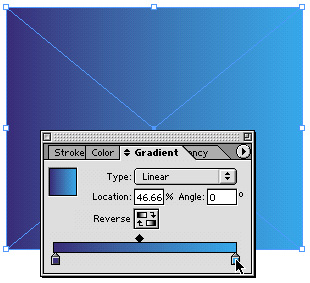
Another Illustrator-related feature in InDesign is the ability to see high-quality EPS previews. These two tips from Adobe InDesign Evangelist Tim Cole show you how to access both of these features.
We’ve posted these tips as PDF files. All you do is click “Replacing Gradient Colors with a Swatch” and “Better .eps Previews” to open the PDF files in your Web browser. You can also download the PDFs to your machine for later viewing.
This article was last modified on March 10, 2025
This article was first published on May 9, 2003
Commenting is easier and faster when you're logged in!

Recommended for you

Adobe Updates Mobile Creation Apps
Adobe presented users of two of its mobile apps a year-end gift in the...

New Script & Ornament Fonts
The new faces are P22 Slogan and P22 Nebiornaments. P22 Slogan is a non-connecti...

OnRequest Images Releases World's Fastest and Most Advanced Photography Production Platform
OnRequest Images, the world’s leading provider of OnBrand custom imagery,...