





Step 1
Create a new document. The dimensions don’t really matter, but I started with a new document that’s 470 pixels by 350 pixels, RGB, and 72 dpi. Fill it with White.
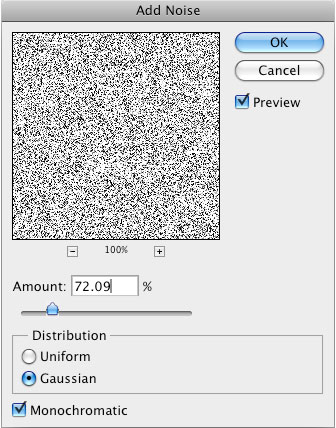
Go to Filter > Noise > Add Noise. Enter the settings below, then press OK.
Step 2
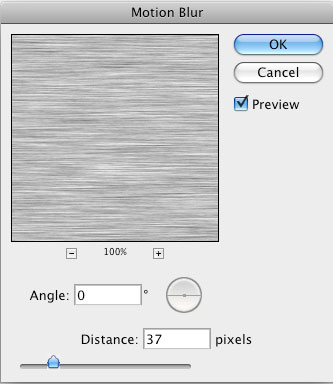
To begin to form the base for the wood grain, go to Filter > Blur > Motion Blur. Use the settings below and press OK.
Step 3
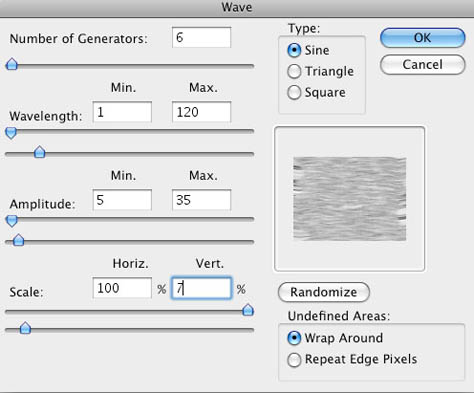
Now you need to make the grain a bit wavy like real wood. Go to Filters > Distort > Wave. Lower the scale to the values shown below so the waves aren’t too overdone. Press OK.
Step 4
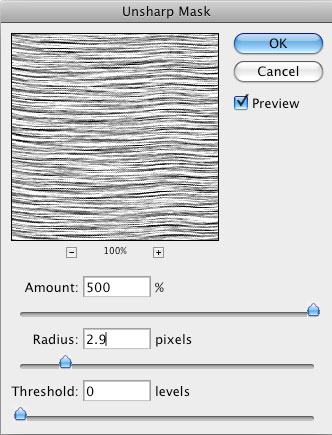
Now to bring out the grain. Go to Filter > Sharpen > Unsharp Mask and crank that puppy all the way up to a 500 amount. Set the radius at 2.9. Press OK.
Step 5
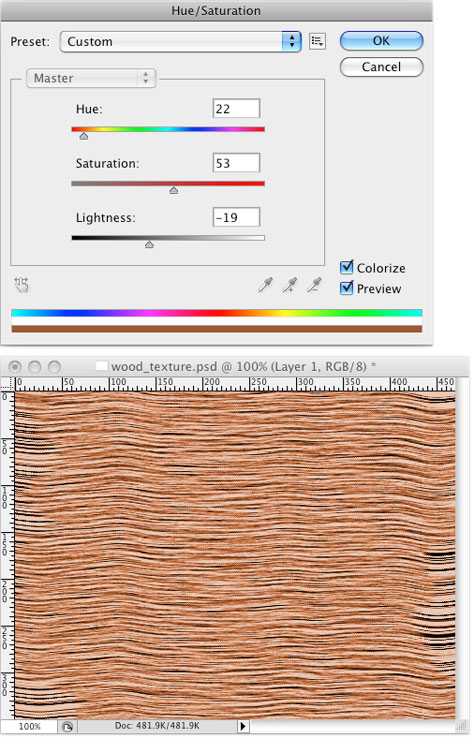
Hit Ctrl/Cmd+U to open the Hue/Saturation dialog box. Check the Colorize box, then set the hue for 22, the saturation for 53, and to get a more authentic wood color, pull the lightness a bit to the dark side. I chose -19. Press OK.
Step 6
Not bad, huh? This is where most other tutorials finish. You could stop here, but let’s go for the extra touch of realism.
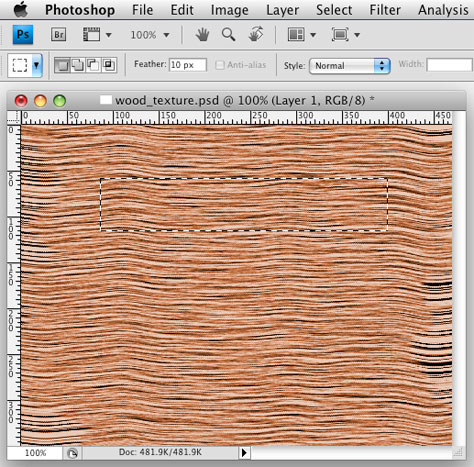
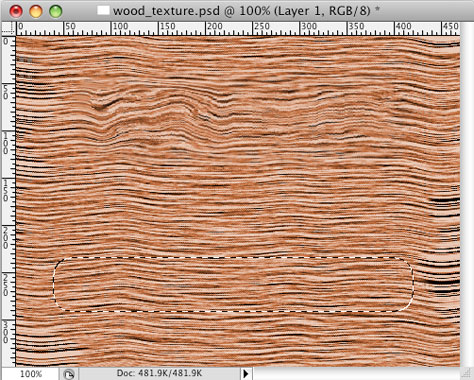
Press the letter M to switch to the Rectangular Marquee and make a selection similar to the one below. In the Options bar at the top, set the feather to 10. Press OK.
Step 7
Apply the wave filter again (Filter > Distort > Wave), making the adjustments as shown here:
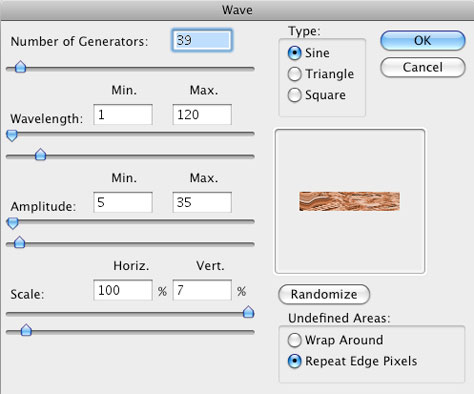
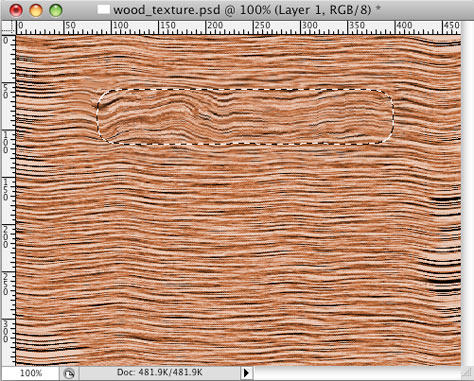
Press OK and you’ll see something like this:
Step 8
See the nice random texture? Let’s do it again. Make a selection as before, but this time on the bottom of the wood.
Step 9
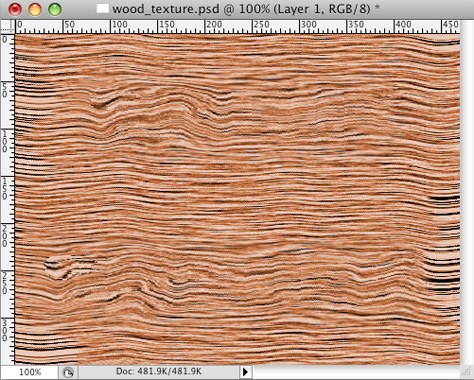
Now go to the filters menu and look at the top of the menu. The last applied filter is still there, so you can either click on it or just hit Ctrl/Cmd+F to reapply the wave filter.
The end result is much more realistic than what you usually see.
This article was last modified on July 11, 2023
This article was first published on June 30, 2010
Commenting is easier and faster when you're logged in!

Recommended for you

A Star Is Born: Deke McClelland's Photoshop Music Video
You’ve probably heard of prolific software trainer Deke McClelland. Hell,...

Scanning Around with Gene: When Sparks Fly
I suspect every American kid, especially every boy, has vivid memories of Fourth...
How to Create Realistic Watercolor Effects in Photoshop
Learn how to use Photoshop to create hand-brushed watercolor effects that don’t...