




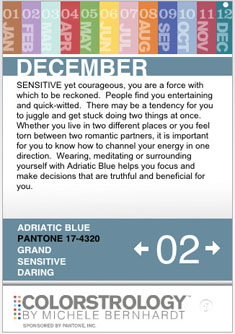
Wondering what color is associated with your birthday and how it resonates with your personality? Now available for the iPhone, COLORSTROLOGY by Michele Bernhardt provides a color for every day of the year alongside insights into the personality traits associated with that particular birthday – a color horoscope of sorts. Download COLORSTROLOGY for free at https://www.Pantone.com/iphone.
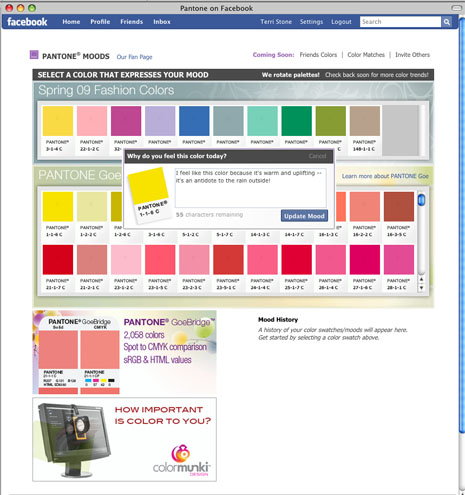
Feeling a little blue? Maybe fiery red or sunny yellow? With Pantone Moods, Facebook users now have the ability to choose the Pantone Color that best suits their mood and have it display on their profile page with a brief caption.
Instructions for displaying Moods on your Facebook profile page:
– Download Pantone Moods application (link above)
– Go to Settings/Application Settings/Pantone Edit Settings
– Select “Allow Pantone to publish specific story sizes automatically without prompting”
– Select “Short” or “Full” (depending on what options are available)
This article was last modified on January 3, 2022
This article was first published on April 10, 2009
Commenting is easier and faster when you're logged in!

Recommended for you

Why Market to Current and Past Clients?
Article courtesy the Freelance Design Marketing Association. The reason to marke...
Marketing Is A Long-Term Relationship
Article courtesy https://www.FreelanceDesignMarketing.com. Many freelance design...

Editor’s Picks for The InDesign Conference 2025
Our Editor in Chief lists his must-see sessions for the InDesign Conference 2025...