



Press release
The $4.99 Photographer’s Workflow 1.0 was created to help photographers keep organized and focused on what needs to be done for every job.
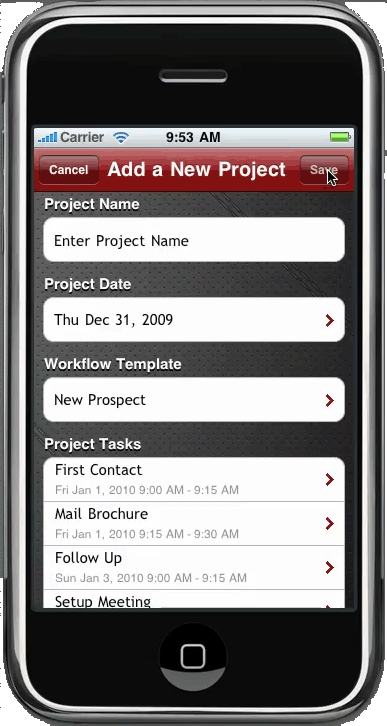
This is a quick and easy way to create a series of tasks from any client project that will import to Googles online calendar. With just a few taps on your iPhone it will create a series of predefined events on your Google calendar. Simply create a new project, pick your workflow and start date. The app will do the rest and populate your calendar with all of the necessary events you need to finish the job! It’s a great way to stay organized and each project can be customized to fit that specific clients needs. Photographers Workflow is simple to use yet powerful.
Think of how many different things you need to do when a new wedding or portrait session are booked. You need to do the paperwork and collect payments, do all of the post production, album design, marketing tasks and many more. With Photographers Workflow all you have to do is name your new project, tap the wedding workflow and in a matter of seconds you will have all of the tasks on your google calendar online. And if you use Google Sync all of this info will also appear on your iPhone native calendar.
?Photographers Workflow comes standard with 5 sample workflows: New Prospect, New Client, Wedding, Portrait, and Album sale. You can edit any of these workflows to fit your needs or create as many new workflows as you need.
You can buy Photographer’s Workflow now in iTunes.
This article was last modified on January 18, 2023
This article was first published on January 18, 2010
Commenting is easier and faster when you're logged in!

Recommended for you

Ten Tips for New Web Designers
For those of you who may be less familiar with the details of web design it can...

Learn About Photoshop CC While You Use It With the New Features Panel
We are all creatures of habit and develop our favorite ways of getting work done...
Photoshop for Beginners
Becoming a Photoshop expert is probably on a lot of folks’ bucket lists. W...