




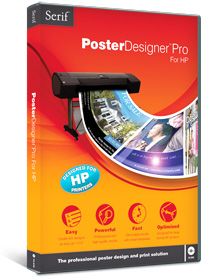
Serif, a leading developer of professional and consumer-oriented desktop publishing, design and graphics software, today released PosterDesigner Pro for HP, a powerful, all-in-one solution for professional poster design and printing which has been developed exclusively with HP and will be sold and supported alongside HP Designjet large format printers.
Serif PosterDesigner Pro for HP is tailored to make it easy for customers in retail, education, real estate and business to produce fantastic posters, fast. In-house marketing, special event advertising, signs and banners can be inspired, designed and printed perfectly in three simple steps. PosterDesigner Pro for HP with its high quality output that is automatically scaled and rotated to get the best from HP’s large format printing portfolio further enhances Serif’s reputation as developers of powerful, easy-to-use software.
“We wanted to create a unique software product that would make it easier than ever using HP large format printers to produce high impact, professional results fast, regardless of size. PosterDesigner Pro for HP does exactly that.” explained Gary Bates, Managing Director at Serif.
High-end tools like the Logo Studio and instant artwork gallery help users achieve high-impact, professional results with friendly, wizard-driven interfaces and quick drag-and-drop design tools. More than 200 inspirational professional templates are available in addition to hundreds of preset styles for instant access to materials, bevels, shadows, reflections and glows for creation of the perfect layout, with expert text handling capabilities like text wrapping and shaped frames.
A built-in photo editor gives users creative freedom to make quick adjustments or add stunning effects to photos without the need for an additional photo editing suite. The Image Cutout Studio makes it easy to extract part of an image to use in poster designs, and with unrivalled compatibility including PDF and Photoshop® import, it’s simple to import any image, whatever its format.
This article was last modified on January 7, 2023
This article was first published on April 2, 2009
Commenting is easier and faster when you're logged in!

Recommended for you

Inside the Publishing Revolution: How the LaserWriter and Photoshop Changed the World
Excerpted from “Inside the Publishing Revolution: The Adobe Story” (...

Scanning Around With Gene: PageMaker Memories from 6 to 72 Point
There is a Salvation Army store that happens to be on the way to my bank, both o...

Buying a Color Printer
There’s something compelling about seeing your work in print. That holds true ev...