




This tutorial is an installment of The Russell Brown Show
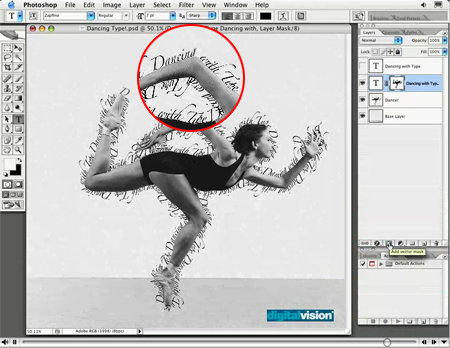
Text that swoops and swirls all over a page can be a good thing or a bad thing. The key to successful text on a path is to use it only when the subject matter calls for it, and to finesse the type with the right positioning, point size, and tracking.
In this video tutorial, Russell Brown, senior creative director at Adobe, shows you how to do just that in Photoshop CS2.
Click on the image below to begin streaming the video “Dancing with Type.”
This article was last modified on June 30, 2023
This article was first published on June 11, 2007
Commenting is easier and faster when you're logged in!

Recommended for you

How to Create Lithopanes in Photoshop
The introduction of 3D printing direct from Photoshop opened new gateways for ma...
How to Increase Image Dimensions and Maintain Quality in Photoshop
Learn best practices for increasing dimensions of an image while maintaining as...

How to Mask Hair Using Today’s Techniques in Photoshop
Using Photoshop features like Generative Fill and Select and Mask makes the job...