


QuarkXPress How-To: Add More Style to Your Pages



This tutorial is provided by Against the Clock.
Maybe you’ve been meaning to try style sheets. Or maybe you’ve ignored them because, dang it, you’re a creative designer, not a mechanic! But using style sheets doesn’t make you any less creative — in fact, it automates grunt work so you have more time for the fun stuff.
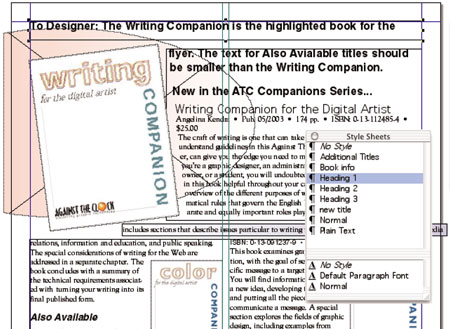
Style sheets make jobs such as this one a breeze to format.
In this how-to, you’ll not only get simple directions for applying style sheets, you can even follow along using the supplied XPress document, fonts, and pre-made styles. We guarantee that by the end of the article, you’ll be more efficient and your text will be more consistent.
We’ve posted this tutorial as a compressed folder that contains a PDF file, fonts, styles, and an XPress document. Just click the link “StyleSheets.zip” to download the folder to your machine, and then double-click it to uncompress all the items within the folder.
To open the PDF, you’ll need a full version of Adobe Acrobat (5 or higher) or the Adobe Reader, which you can download here:
 .
.
To learn how to configure your browser for viewing PDF files, see the Adobe Reader tech support page.
This article was last modified on January 10, 2022
This article was first published on August 31, 2005
Commenting is easier and faster when you're logged in!

Recommended for you

Automatic Text Formatting in InDesign with Nested Styles
Learn how to automate text formatting in InDesign via nested styles, line styles...
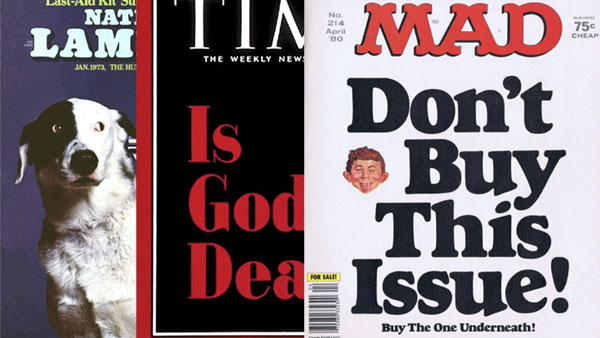
Scanning Around With Gene: Magazine Covers that Broke the Rules
Originally posted Jun 26, 2009 When I was in the magazine business, I went to se...

Willoughby Design and the Evolution of a Typographic Paper Promo
Nothing makes a designer happier than paper and type. So when Neenah Paper asked...