



A couple of years ago, I petitioned a group of 50 or so photographers to seed me with raw images for some Camera Raw videos I recorded for lynda.com. The project went swimmingly, but I was troubled by the number of photographers (12? 15?) who told me they didn’t shoot raw, even though they owned digital SLRs. Why not? Because the few raw images they had captured didn’t look as good as the equivalent JPEGs.
Fair enough, I guess. But it’s rather like saying that your film negatives don’t measure up to your Polaroids. The first are waiting to be developed and the second are processed by robots. Initially, you may marvel at the work of the robots — machines are a clever lot! — but in time you’ll discover that you can do a better job yourself.
Both raw files and negatives contain deep information that will ultimately yield superior images. But where negatives require you to dabble in precarious and sometimes toxic chemicals, raw images have been known to submit to the slightest of numerical adjustments without the slightest provocation. And Photoshop provides a tool that makes yesteryear’s fully equipped darkroom look like a zoetrope: Adobe Camera Raw (ACR).
Essentially a free subprogram that ships inside Photoshop, ACR is a fully fledged image-editing application unto itself, replete with white balance, histogram, exposure controls, and more.
Click the before-and-after example below to open the video tutorial in a separate window:
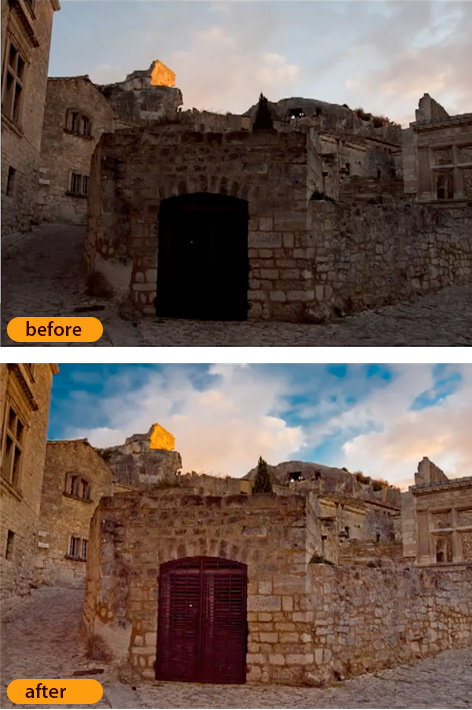
This article was last modified on January 5, 2023
This article was first published on March 18, 2010
Commenting is easier and faster when you're logged in!

Recommended for you

How to Permanently Delete Cropped Data in a PDF
Have you ever tried to crop a PDF file, cutting out part of a page? It’s pretty...
Snapheal Deal
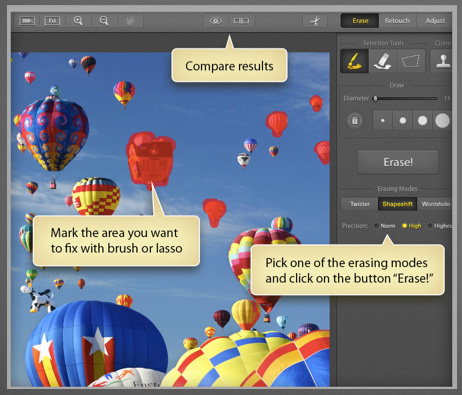
From now through January 7, 2014 you can get Snapheal, a photo editing applicati...

The Non-Designer’s Illustrator Book
Excerpted from The Non-Designer’s Illustrator Book by Robin Williams and J...