



Press release
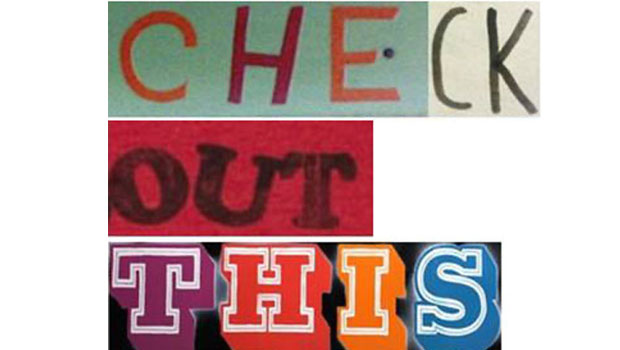
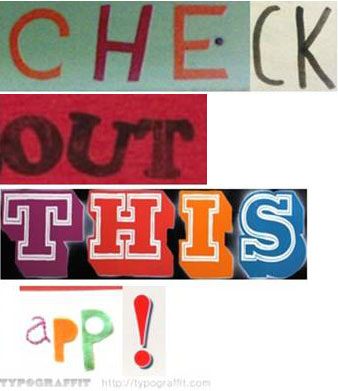
TYPOGRAFFIT, which has already earned a following as a fun and creative Web site for image creation, has launched an iPhone app. Available for download now in the iTunes App Store for $1.99, Typograffituses a database of images representing the letters of the alphabet to create customized, artistic representations of text. Users can also upload their own images to create a personalized message in any language or share with the Typograffit community.
The app is as simple as entering text into a text box and one click displays the Typograffit image which can then be saved as a JPEG or link, used in chat applications, emailed directly or shared with friends on a number of social networking sites.
“Typograffit gives users the opportunity to interact with each other in new, exciting ways that haven’t really been explored yet with text messaging,” said Acci Baba, creator and founder of Typograffit. “The iPhone app adds another dimension to the community, allowing users to upload their mobile photo libraries and take a more active role in cultivating the database of images. The end result is an original, artistic message that the can be shared with friends.”
The Typograffit database of pictures is made up of a diverse library of images including signs, symbols, graffiti, neon lights and any other representations of text found by users all over the world. Conceived in Berlin, prototyped in Copenhagen, engineered in Tokyo, developed in San Francisco and established in Los Angeles, Typograffit has truly been a worldwide collaboration.
This article was last modified on January 18, 2023
This article was first published on January 21, 2010
Commenting is easier and faster when you're logged in!

Recommended for you

Tip of the Week: Revealing Overset Text
How to quickly expand a text frame to reveal any overset text.

Super Simple Slide Design: A CreativePro Event Sneak Peek
Learn several easy to implement techniques for punching up the visual interest i...

How to Build PDF Tool Tips Inside InDesign
Adding "tool tips" to your PDFs is an easy way to let your reader learn more abo...