


Web Design How-To: Giggle Your Way to Code Mastery


Follow this link to find out more about this book.
CSS dominates the best-designed Web sites for several reasons: It gives you great control, it’s easier to update than old-fashioned HTML, and it’s compliant with Web standards.
While modern Web-design applications generate CSS, you’ll be better equipped to tweak their results if you understand the underlying code. That’s where this excerpt comes in. Its plain-English explanations, real-world analogies, and games (crossword puzzle, anyone?) make it — gasp! — fun to learn what can be a dull subject.
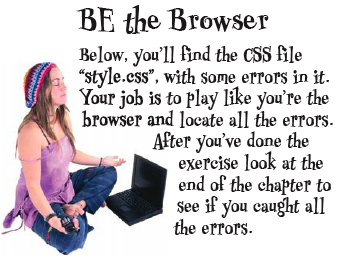
An irreverent sense of humor helps the medicine go down.
This excerpt assumes you have a grounding in XHTML. If you want the XHTML basics, see “What You Need to Succeed.”
We’ve posted this excerpt as a PDF file. To open the PDF file in your Web browser, click “CSS.” You can also download the PDF to your machine for later viewing.
To open the PDF, you’ll need a full version of Adobe Acrobat (6 or higher) or the Adobe Reader, which you can download here:
 .
.
To learn how to configure your browser for viewing PDF files, see the Adobe Reader tech support page.
Copyright © 2006 O’Reilly Media, Inc. All rights reserved.
This article was last modified on January 8, 2023
This article was first published on March 17, 2006
Commenting is easier and faster when you're logged in!

Recommended for you

The Art of Business: Keeping Your Clients
Here are a few sobering statistics: Companies on average lose 50 percent of thei...

Free Webinar: Creating Social Media Assets with InDesign
Join us Thursday, 6/22 at 10 am Pacific for our 75-minute free webinar that feat...

The Digital Art Studio: Quick Fixes #1 (Square Art)
This is the first in a series of articles on quick fixes you can apply to photos...